How to Get Airstream Connected
1.) Dealership Installation
Visit your preferred Airstream dealership or schedule an appointment ahead of time to get the hardware components installed on your Airstream. Airstream Connected is compatible with any new or used (yes, even vintage) so you don't need to worry about anything besides where you're going to be adventuring next. The rooftop antenna takes up minimal space and the modem can be tucked away out of sight.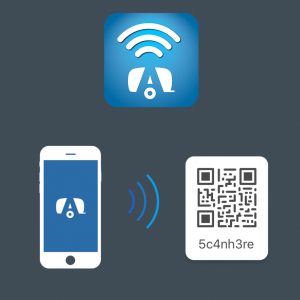
2.) Our App & Pairing
After getting the Airstream Connected hardware installed at the dealership, download the Airstream Connected app (iOS and Android) and simply scan a QR code link your account. You'll be able to manage and monitor your 4G LTE network and Wi-Fi settings, complete arrival and departure checklists, locate your Airstream from anywhere, plus many more features like FAQ's and user manuals.
3.) Choose a Plan & Start Streaming
Choose between two unique 4G LTE-A data plans that were made exclusively for Airstreamers. The Unlimited Adventure plan offers unlimited data for 12 months while the Weekend Adventure plan is set up for 5GB of data per month.